
文章目录
- 官网
$limit_rate- 实操

官网

点击Alphabetical index of variables
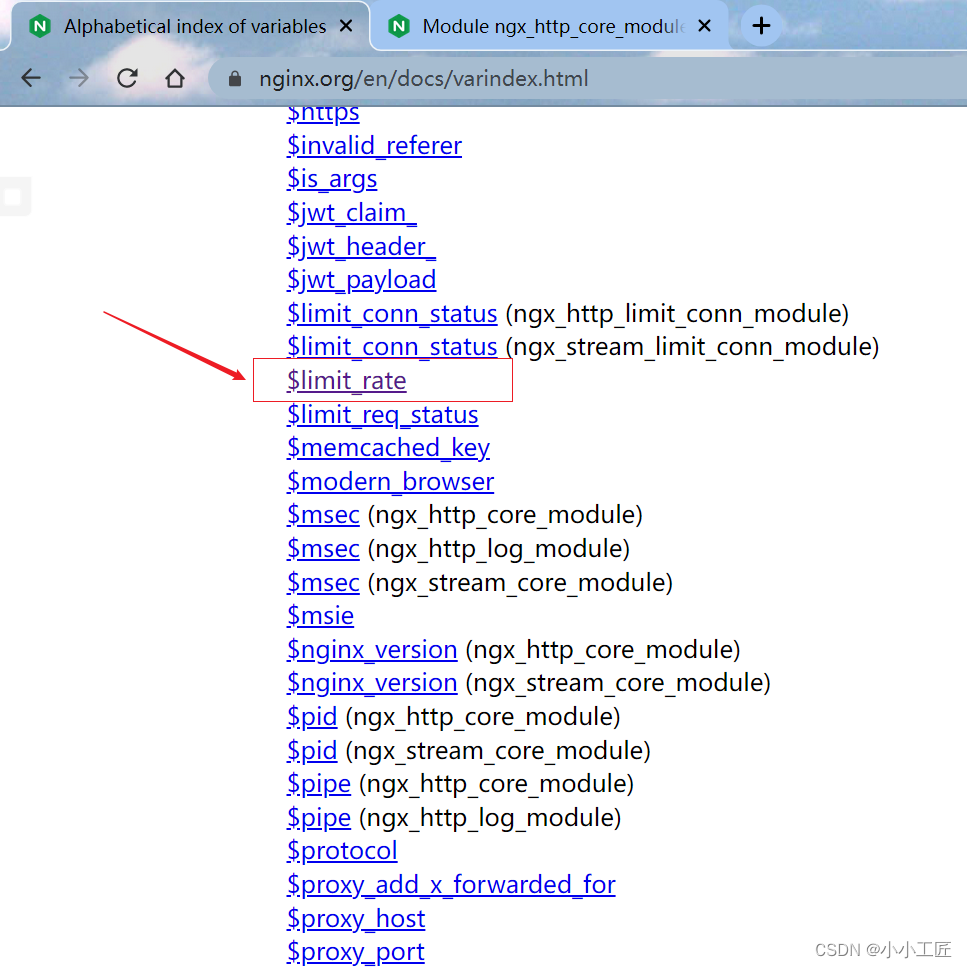
找到 https://nginx.org/en/docs/http/ngx_http_core_module.html#var_limit_rate

$limit_rate
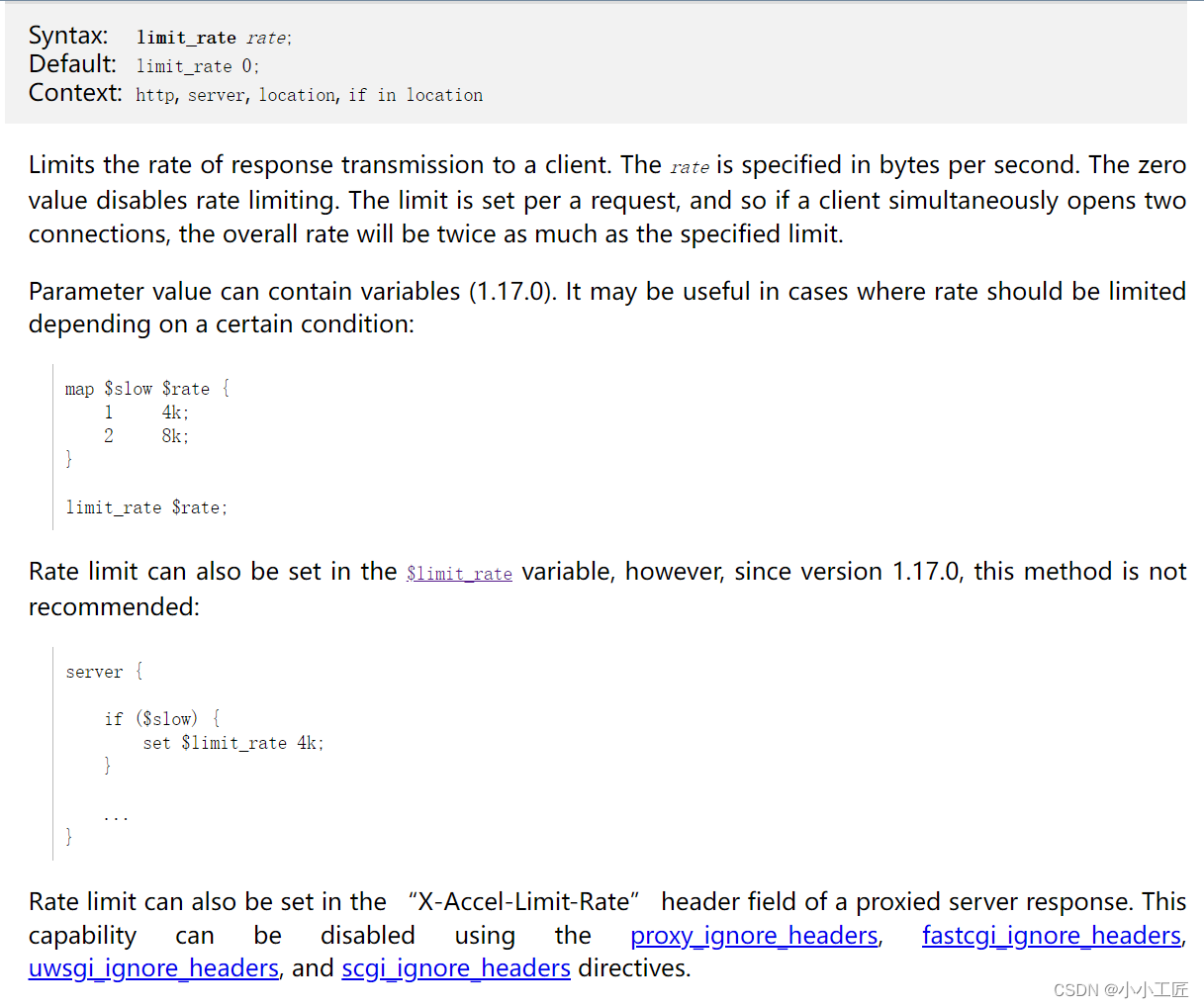
Limits the rate of response transmission to a client. The rate is specified in bytes per second. The zero value disables rate limiting. The limit is set per a request, and so if a client simultaneously opens two connections, the overall rate will be twice as much as the specified limit.
实操
同一个 IP 开两个下载,限速还生效吗?
配了 limit_rate 128k,同一台客户端同时下载两个文件,总速率却超过了 128k。这是因为限速按请求计算,两条请求各有自己的额度。下面用同一份 4 MiB 文件对比单请求和双请求,再加上连接数限制,观察第二条请求的结果。
实验记录于 2026-11-21,使用 Nginx 1.28.3、Linux arm64 和容器内的 curl。镜像记录的摘要是 sha256:146adea4768b83c607d0bdfa4188464e3da6e0a3ad4475db1d1d8f64f27c29cc。完整版本及构建参数保存在运行日志中。
1.28.3 是本实验固定的复现版本,不是当前生产环境的版本推荐。部署前请核对 11 月安全更新中的受影响配置与修复版本。
下载完整实验包,或分别保存 nginx.conf 和 run.py 到同一个空目录。需要 Docker 和 Python 3。脚本创建一次性容器,不映射宿主端口,--network none 下只通过容器内的 127.0.0.1:8080 请求 Nginx;退出时移除容器,保留本地结果。
先把配置放全
三个 location 都指向同一目录。关闭 gzip,limit_rate_after 设为 0,避免压缩后的大小或延迟限速干扰比较。128k 对应 131072 B/s,也就是 128 KiB/s,不是 128 kbit/s。
worker_processes 1;
pid /tmp/nginx.pid;
error_log /results/error.log info;

events {
    worker_connections 128;
}

http {
    default_type application/octet-stream;
    gzip off;
    sendfile on;
    keepalive_timeout 0;
    limit_rate_after 0;
    limit_conn_zone $binary_remote_addr zone=perip:1m;
    log_format lab '$remote_addr "$request" status=$status '
                   'body_bytes=$body_bytes_sent request_time=$request_time '
                   'limit_rate=$limit_rate limit_conn=$limit_conn_status';
    access_log /results/access.log lab;

    server {
        listen 8080;
        server_name localhost;

        location /unlimited/ {
            alias /data/;
            limit_rate 0;
        }
        location /limited/ {
            alias /data/;
            limit_rate 128k;
        }
        location /one/ {
            alias /data/;
            limit_rate 128k;
            limit_conn perip 1;
        }
    }
}
perip 按 $binary_remote_addr 计数。本实验两条请求都来自容器回环地址,因此会落到同一个键上。
运行四组,两轮复测
在保存了配置和脚本的目录执行:
docker pull nginx:1.28.3
python3 run.py results
cat results/access.log
cat results/error.log
首次拉取需要联网;实际测量时容器没有外网。每次运行要使用新的结果目录,例如第二次改为 python3 run.py results-2。脚本自己执行两轮,每轮依次测不限速、单请求限速、双请求并发、叠加 limit_conn 1。
测试文件由 bytes(4 * 1024 * 1024) 生成,大小是 4194304 字节。脚本逐个检查成功响应的大小和 SHA-256,确认拿到的是完整文件。limit_conn 那组等第一条请求已有响应体落盘,再启动第二条,避免第一条结束后才发起第二条而误判。
完整测量脚本 run.py
#!/usr/bin/env python3
"""Run four download cases twice, using only the disposable container's loopback."""
import hashlib
import json
import os
from pathlib import Path
import subprocess
import sys
import time
import uuid

ROOT = Path(__file__).resolve().parent
OUT = Path(sys.argv[1] if len(sys.argv) > 1 else "results").resolve()
OUT.mkdir(parents=True, exist_ok=False)
DATA = OUT / "data"
DATA.mkdir()
PAYLOAD = DATA / "payload.bin"
PAYLOAD.write_bytes(bytes(4 * 1024 * 1024))
EXPECTED = hashlib.sha256(PAYLOAD.read_bytes()).hexdigest()
NAME = "nginx-rate-lab-" + uuid.uuid4().hex[:10]
IMAGE = os.environ.get("NGINX_IMAGE", "nginx:1.28.3")
TRANSCRIPT = (OUT / "run.log").open("w", buffering=1)
results = []


def log(text):
    print(text, flush=True)
    TRANSCRIPT.write(text + "\n")


def command(args):
    proc = subprocess.run(args, text=True, stdout=subprocess.PIPE,
                          stderr=subprocess.STDOUT, timeout=90)
    log("$ " + " ".join(args))
    log(proc.stdout.rstrip())
    if proc.returncode:
        raise RuntimeError(f"command failed: {proc.returncode}")
    return proc.stdout


def start(label, location):
    args = ["docker", "exec", NAME, "curl", "--noproxy", "*", "--http1.1",
            "--silent", "--show-error", "--max-time", "70",
            "--output", f"/results/{label}.body",
            "--write-out", "%{http_code} %{size_download} %{time_total} %{speed_download}\n",
            f"http://127.0.0.1:8080/{location}/payload.bin?case={label}"]
    log("$ " + " ".join(args))
    return subprocess.Popen(args, text=True, stdout=subprocess.PIPE, stderr=subprocess.PIPE)


def finish(proc, label):
    stdout, stderr = proc.communicate(timeout=80)
    (OUT / f"{label}.curl.txt").write_text(stdout)
    (OUT / f"{label}.stderr.txt").write_text(stderr)
    log(label + " curl: " + stdout.strip())
    if stderr:
        log(stderr.rstrip())
    assert proc.returncode == 0
    status, size, seconds, speed = stdout.split()
    body = OUT / f"{label}.body"
    actual = body.stat().st_size
    digest = hashlib.sha256(body.read_bytes()).hexdigest()
    row = dict(label=label, status=int(status), bytes=int(size),
               seconds=float(seconds), bytesPerSecond=float(speed), sha256=digest)
    assert actual == row["bytes"]
    if row["status"] == 200:
        assert actual == 4194304 and digest == EXPECTED
    else:
        assert row["status"] == 503 and label.endswith("conn-b")
    log(label + " sha256=" + digest)
    return row


try:
    command(["docker", "image", "inspect", IMAGE, "--format",
             "{{.Id}} {{json .RepoDigests}} {{.Architecture}}"])
    command(["docker", "run", "--rm", "--detach", "--pull=never",
             "--name", NAME, "--network", "none", "--cpus", "1", "--memory", "128m",
             "--mount", f"type=bind,source={ROOT / 'nginx.conf'},target=/etc/nginx/nginx.conf,readonly",
             "--mount", f"type=bind,source={DATA},target=/data,readonly",
             "--mount", f"type=bind,source={OUT},target=/results",
             IMAGE])
    command(["docker", "exec", NAME, "nginx", "-t"])
    command(["docker", "exec", NAME, "nginx", "-V"])
    command(["docker", "exec", NAME, "curl", "--version"])
    command(["docker", "inspect", NAME, "--format",
             "network={{.HostConfig.NetworkMode}} ports={{json .HostConfig.PortBindings}}"])
    log("payload.bytes=4194304 payload.sha256=" + EXPECTED)
    for repeat in (1, 2):
        for case, location, suffixes in [
            ("unlimited", "unlimited", ["unlimited"]),
            ("single", "limited", ["single"]),
            ("double", "limited", ["double-a", "double-b"]),
            ("conn", "one", ["conn-a", "conn-b"]),
        ]:
            labels = [f"r{repeat}-{suffix}" for suffix in suffixes]
            begin = time.monotonic()
            procs = [start(labels[0], location)]
            if len(labels) == 2:
                if case == "conn":
                    first = OUT / f"{labels[0]}.body"
                    deadline = time.monotonic() + 10
                    while not first.exists() or first.stat().st_size == 0:
                        assert procs[0].poll() is None and time.monotonic() < deadline
                        time.sleep(0.02)
                    log(labels[0] + " active: received body bytes before starting second request")
                procs.append(start(labels[1], location))
            rows = [finish(proc, label) for proc, label in zip(procs, labels)]
            elapsed = time.monotonic() - begin
            assert [r["status"] for r in rows] == ([200, 503] if case == "conn" else [200] * len(rows))
            total = sum(r["bytes"] for r in rows if r["status"] == 200)
            group = dict(repeat=repeat, case=case, requests=rows,
                         wallSeconds=round(elapsed, 6), successfulBytes=total,
                         aggregateBytesPerSecond=round(total / elapsed, 3))
            results.append(group)
            log("GROUP " + json.dumps(group, sort_keys=True))
    (OUT / "results.json").write_text(json.dumps(results, indent=2) + "\n")
    log("All 8 case-runs passed; 10 successful payloads matched byte count and SHA-256.")
finally:
    subprocess.run(["docker", "rm", "--force", NAME], stdout=subprocess.DEVNULL,
                   stderr=subprocess.DEVNULL, timeout=30)
    TRANSCRIPT.close()
实际返回了什么
下面是两轮 curl 的原始测量值。time_total 和 speed_download 分别记录这条请求的总耗时和平均下载速率。HTTP 503 那两行统计的是错误响应体,不是 4 MiB 文件。
| 轮次 | 用例 / 请求 | HTTP | 响应体字节 | curl 耗时(秒) | curl 平均速率(B/s) |
|---|---|---|---|---|---|
| 1 | 不限速 / r1-unlimited | 200 | 4194304 | 0.015201 | 275922899 |
| 1 | 单请求 128k / r1-single | 200 | 4194304 | 31.165522 | 134581 |
| 1 | 双请求 128k / r1-double-a | 200 | 4194304 | 31.132152 | 134725 |
| 1 | 双请求 128k / r1-double-b | 200 | 4194304 | 31.131524 | 134728 |
| 1 | 128k + limit_conn 1 / r1-conn-a | 200 | 4194304 | 31.125901 | 134752 |
| 1 | 128k + limit_conn 1 / r1-conn-b | 503 | 197 | 0.000345 | 571014 |
| 2 | 不限速 / r2-unlimited | 200 | 4194304 | 0.023297 | 180036227 |
| 2 | 单请求 128k / r2-single | 200 | 4194304 | 31.131574 | 134728 |
| 2 | 双请求 128k / r2-double-a | 200 | 4194304 | 31.154660 | 134628 |
| 2 | 双请求 128k / r2-double-b | 200 | 4194304 | 31.155902 | 134623 |
| 2 | 128k + limit_conn 1 / r2-conn-a | 200 | 4194304 | 31.114092 | 134803 |
| 2 | 128k + limit_conn 1 / r2-conn-b | 503 | 197 | 0.000504 | 390873 |
单请求限速的第一轮耗时 31.165522 秒,平均 131.43 KiB/s。这个值略高于配置的 128 KiB/s;限速不是逐字节等间隔发送,短时间突发和测量窗口会影响平均值,不应要求每轮恰好等于 131072 B/s。
两条请求的合计速率另算:从启动第一条请求前开始计时,到两条 curl 结束且响应校验完成,用成功响应的总字节数除以这段耗时。因此,下面的共同窗口包含 docker exec 启动和本地校验的开销,与直接相加两条 curl 的速率有区别:
| 轮次 | 两条成功响应合计字节 | 共同窗口(秒) | 合计速率(B/s) | 换算 KiB/s |
|---|---|---|---|---|
| 1 | 8388608 | 31.208098 | 268795.876 | 262.50 |
| 2 | 8388608 | 31.246951 | 268461.650 | 262.17 |
两条下载都返回 200,每条拿到完整的 4 MiB。它们各自受限,但客户端合计下载速度约为单条的两倍。不限速组只是确认文件和回环传输正常;它的耗时很短,不能用来推算服务器对外的带宽或性能。
limit_conn 1 不会把两条下载分摊成各一半
第四组保留 limit_rate 128k,再加 limit_conn perip 1。两轮都只有第一条请求完成文件下载,第二条返回 503。访问日志把拒绝标成 REJECTED:
127.0.0.1 "GET /unlimited/payload.bin?case=r1-unlimited HTTP/1.1" status=200 body_bytes=4194304 request_time=0.009 limit_rate=0 limit_conn=-
127.0.0.1 "GET /limited/payload.bin?case=r1-single HTTP/1.1" status=200 body_bytes=4194304 request_time=31.163 limit_rate=131072 limit_conn=-
127.0.0.1 "GET /limited/payload.bin?case=r1-double-b HTTP/1.1" status=200 body_bytes=4194304 request_time=31.130 limit_rate=131072 limit_conn=-
127.0.0.1 "GET /limited/payload.bin?case=r1-double-a HTTP/1.1" status=200 body_bytes=4194304 request_time=31.129 limit_rate=131072 limit_conn=-
127.0.0.1 "GET /one/payload.bin?case=r1-conn-b HTTP/1.1" status=503 body_bytes=197 request_time=0.000 limit_rate=131072 limit_conn=REJECTED
127.0.0.1 "GET /one/payload.bin?case=r1-conn-a HTTP/1.1" status=200 body_bytes=4194304 request_time=31.124 limit_rate=131072 limit_conn=PASSED
127.0.0.1 "GET /unlimited/payload.bin?case=r2-unlimited HTTP/1.1" status=200 body_bytes=4194304 request_time=0.013 limit_rate=0 limit_conn=-
127.0.0.1 "GET /limited/payload.bin?case=r2-single HTTP/1.1" status=200 body_bytes=4194304 request_time=31.129 limit_rate=131072 limit_conn=-
127.0.0.1 "GET /limited/payload.bin?case=r2-double-a HTTP/1.1" status=200 body_bytes=4194304 request_time=31.153 limit_rate=131072 limit_conn=-
127.0.0.1 "GET /limited/payload.bin?case=r2-double-b HTTP/1.1" status=200 body_bytes=4194304 request_time=31.153 limit_rate=131072 limit_conn=-
127.0.0.1 "GET /one/payload.bin?case=r2-conn-b HTTP/1.1" status=503 body_bytes=197 request_time=0.000 limit_rate=131072 limit_conn=REJECTED
127.0.0.1 "GET /one/payload.bin?case=r2-conn-a HTTP/1.1" status=200 body_bytes=4194304 request_time=31.113 limit_rate=131072 limit_conn=PASSED
错误日志也记录了对应的限制:
2026/11/21 08:02:28 [error] 29#29: *6 limiting connections by zone "perip", client: 127.0.0.1, server: localhost, request: "GET /one/payload.bin?case=r1-conn-b HTTP/1.1", host: "127.0.0.1:8080"
2026/11/21 08:04:02 [error] 29#29: *12 limiting connections by zone "perip", client: 127.0.0.1, server: localhost, request: "GET /one/payload.bin?case=r2-conn-b HTTP/1.1", host: "127.0.0.1:8080"
第二条请求直接被拒绝,既没有排队,也没有与第一条各分到 64 KiB/s。配置未改写拒绝状态码,所以返回默认的 503。脚本刻意没有给 curl 加 --fail,这样能保存错误响应体;HTTP 是否成功由状态码判断,不能只看 curl 的进程退出码。
逐条 curl 输出、配置和脚本、完整运行日志、访问日志、错误日志和结构化结果都保留了两轮记录。十份成功响应的 SHA-256 一致:
payload.bytes=4194304 payload.sha256=bb9f8df61474d25e71fa00722318cd387396ca1736605e1248821cc0de3d3af8
这次只测了 HTTP/1.1 静态文件下载。上传限速、HTTP/2 多路复用和经过代理后的真实客户端 IP 都不在本次实验范围内。线上如果按 IP 限制连接数,还需确认 Nginx 实际看到的地址,不能把这份回环配置直接当成用户级总带宽配额。
Nginx 官方文档说明了 limit_rate 的按请求限制及字节单位,以及 limit_conn 的计数与拒绝行为。本例直接使用 limit_rate 128k;;从 1.17.0 起,指令参数可以包含变量,官方不再推荐通过 set $limit_rate 设置限速。
静态文件路径不对时,先对照第 6 讲的 alias 与 root。继续阅读可回到 Nginx 实战目录。
原有环境的操作记录
修改配置文件
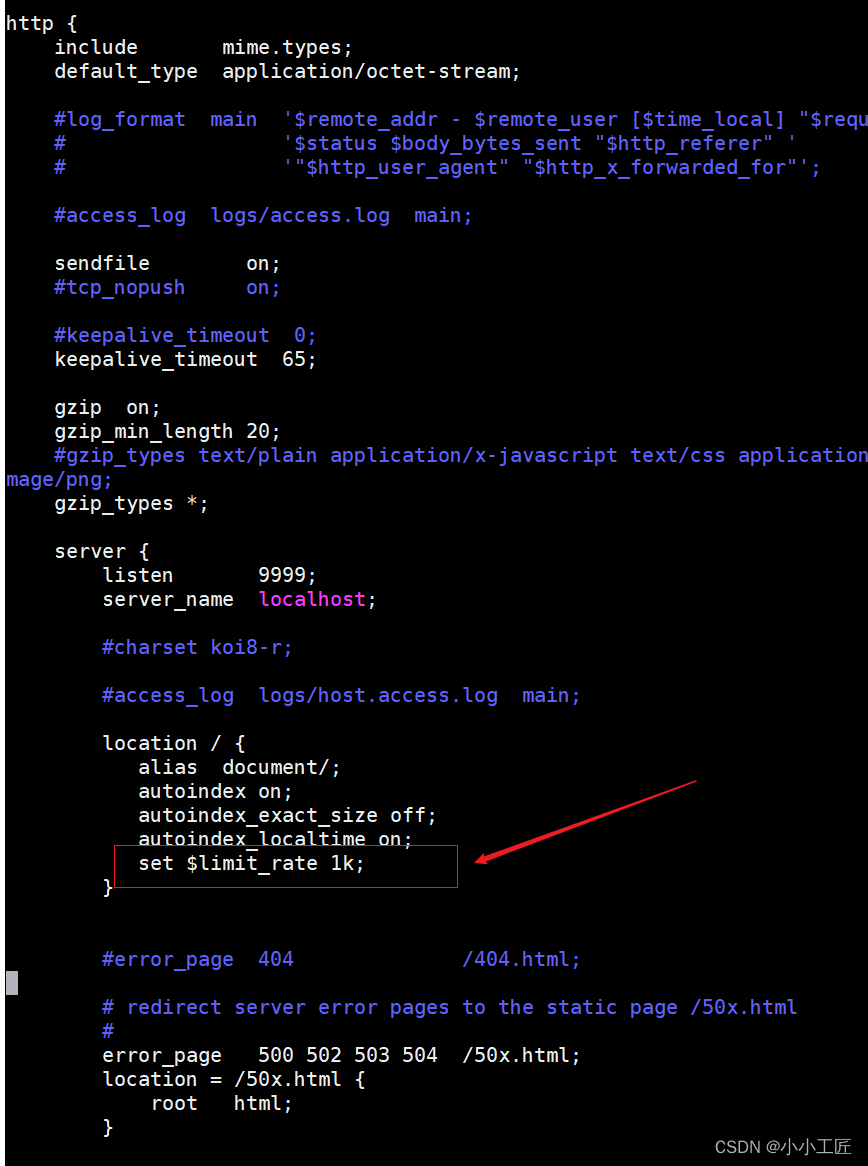
[root@VM-0-7-centos ~]# vim ng/artisan_ng/conf/nginx.conf
[root@VM-0-7-centos ~]#
[root@VM-0-7-centos ~]#
[root@VM-0-7-centos ~]#
[root@VM-0-7-centos ~]# ./ng/artisan_ng/sbin/nginx -s reload
[root@VM-0-7-centos ~]#
重新访问
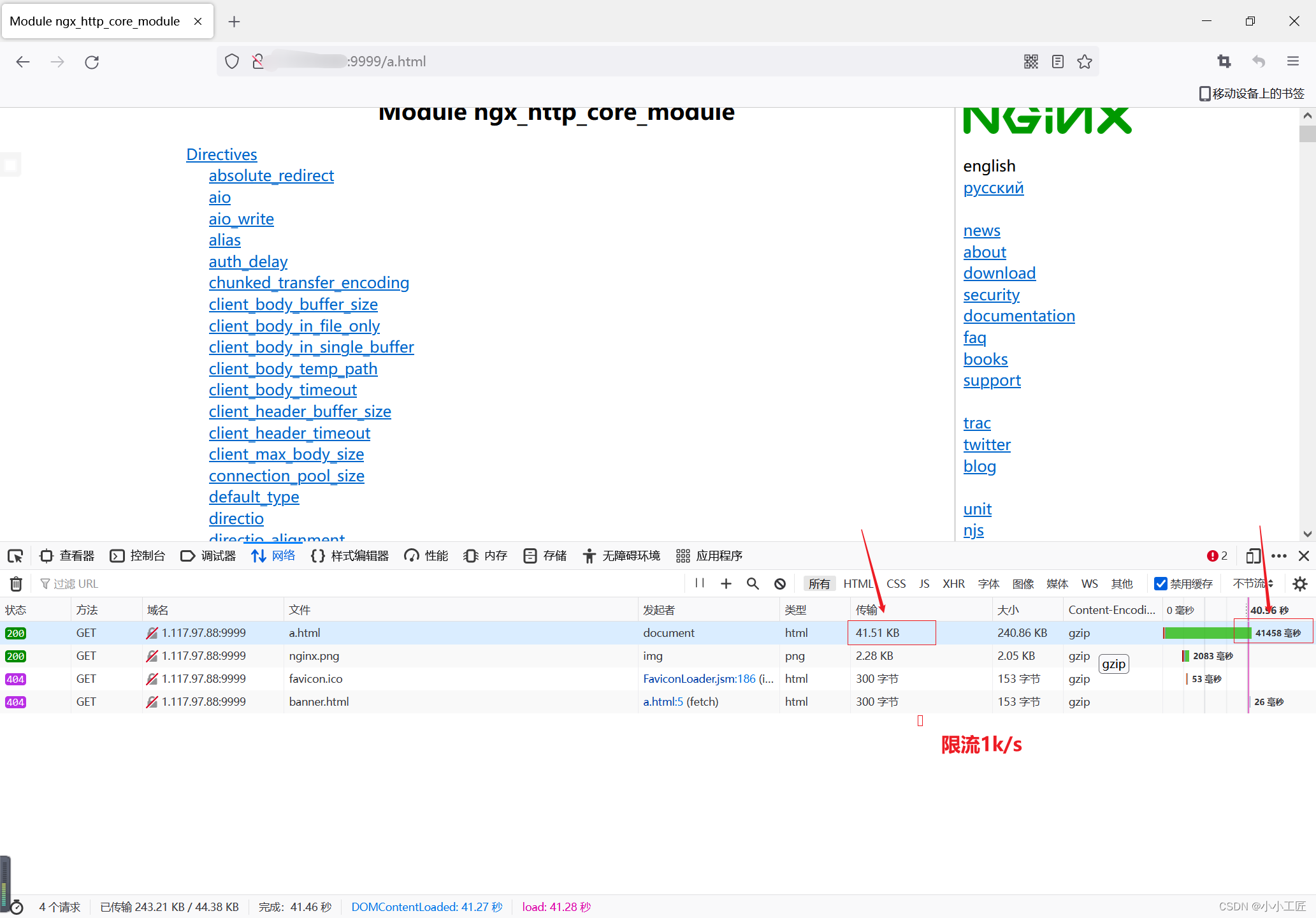
可以看到 $limit_rate生效了

版权声明:本文不是「本站」原创文章,版权归原作者所有 | 原文地址: